



Make Stickers Personal
Let people say exactly what they mean, in their own words, with a character that has the right expression and gesture.
Case study · Entertainment
Stickora – Character stickers that say exactly what you mean
The brief
Our role: Product Design, Character & Sticker System, Flutter App Development, Custom Keyboard, App Store & Google Play Release.
Stickora is a sticker maker built around its own cast of illustrated characters. People design a sticker by choosing a character, its expression, gesture and accessories, then add their own caption, or pick a ready-made sticker from themed collections. Saved stickers go straight into the Stickora keyboard, ready to send in everyday chats.
Stock emoji and generic sticker packs rarely match how people actually talk, especially in the mixed-language, greeting-heavy chats common in India. Stickora answers that with four characters (Bunty, Pinky, Raju and Simran), more than 30 expressions, gestures from a wave and a hug to a namaste, and culturally familiar extras such as nazar amulets alongside hearts, confetti and balloons.
Karma Technolabs designed and engineered the product end to end and released it on the App Store and Google Play from a single Flutter codebase. The work centred on a layered sticker composer, a template system that powers the Studio collections, and a keyboard that makes saved stickers available inside other apps. Stickers are stored on the device, and the iOS listing declares that no user data is collected. The Android version adds AI generation, turning a typed idea or a photo into a sticker.
Requirements
A sticker maker that anyone can use in seconds, that feels personal, and that fits the way people already chat.
Let people say exactly what they mean, in their own words, with a character that has the right expression and gesture.
Make a finished sticker possible in a few taps, starting from a template or a ready-made collection rather than a blank canvas.
Get saved stickers into conversations through a keyboard, instead of making people switch between apps.
Keep each person's sticker collection on their own device, with no account required.
Our approach
The product and engineering problems behind a sticker maker that works across two platforms and inside other apps.
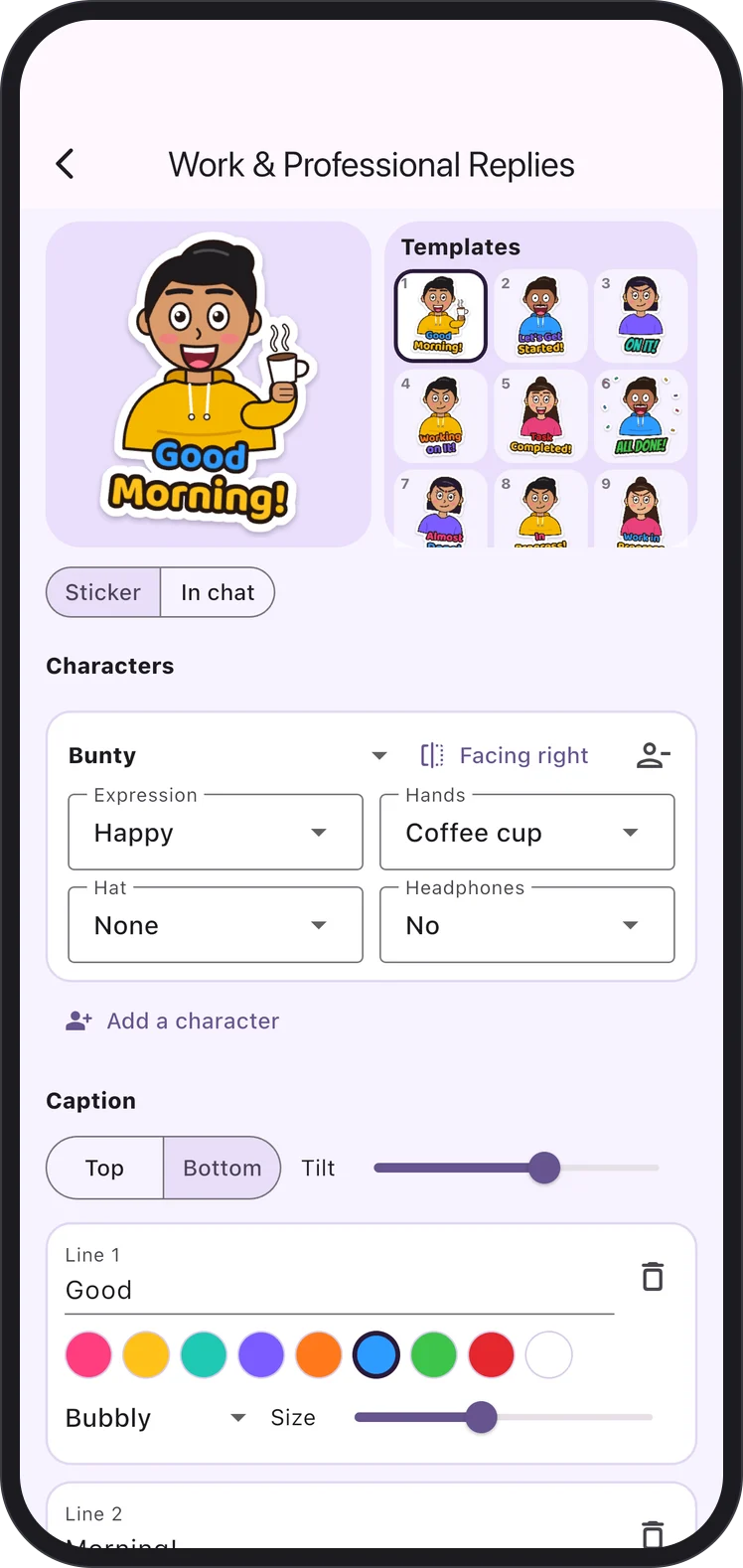
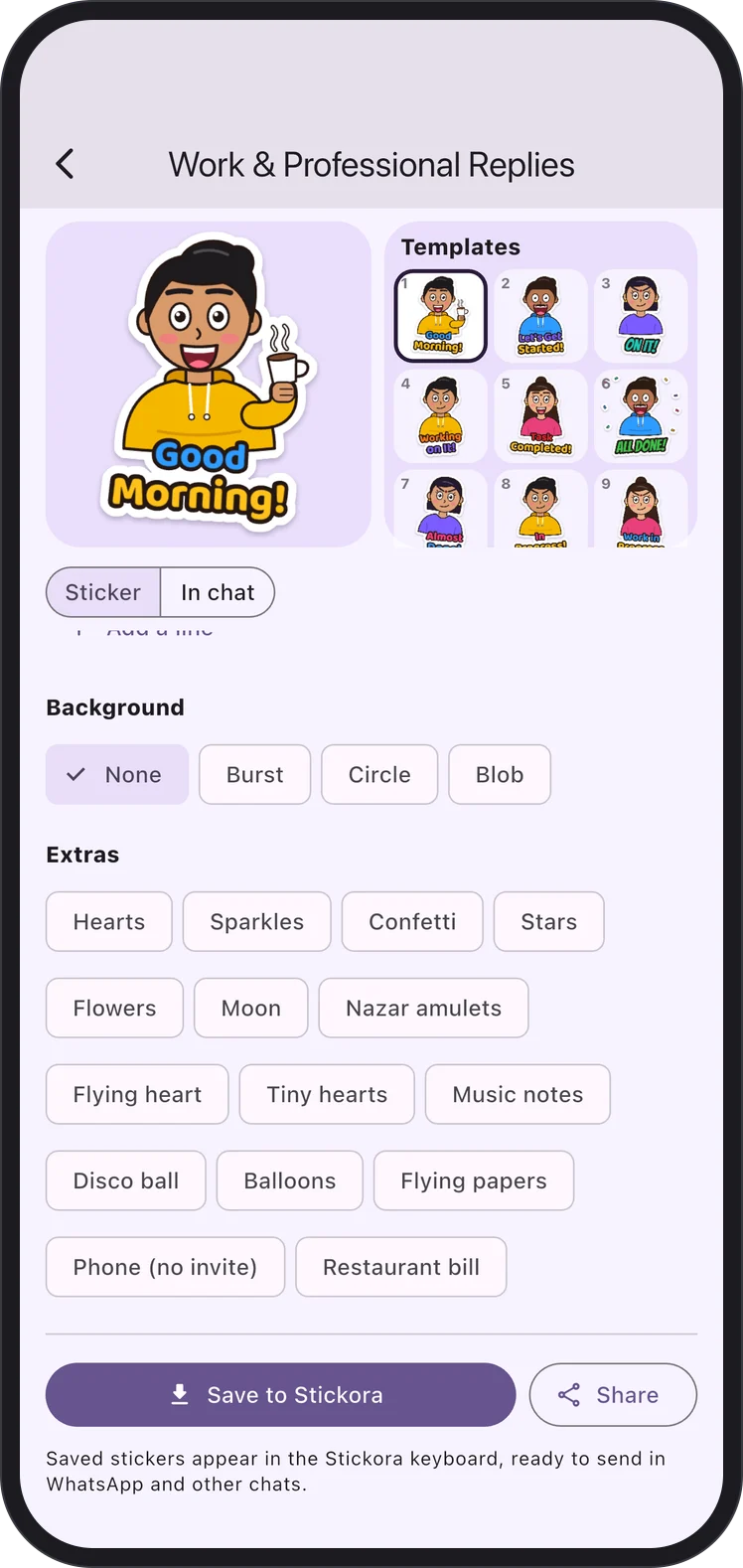
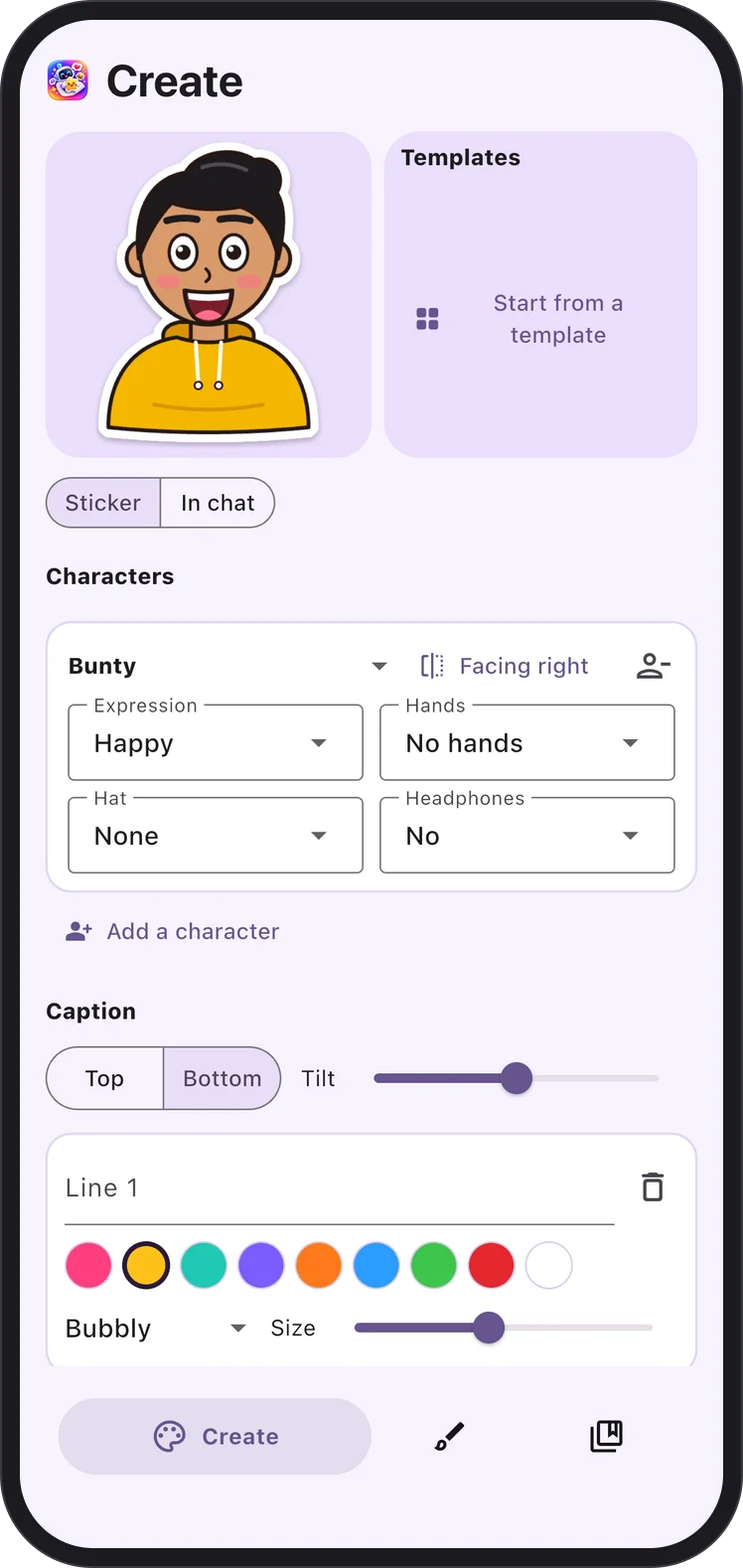
A single sticker can combine up to four characters, each with its own expression, hand gesture, hat and headphones, plus caption lines, a background shape and extras. We built a layered composer that keeps every part editable and renders the result as one clean sticker image, with characters that can be flipped to face each other.
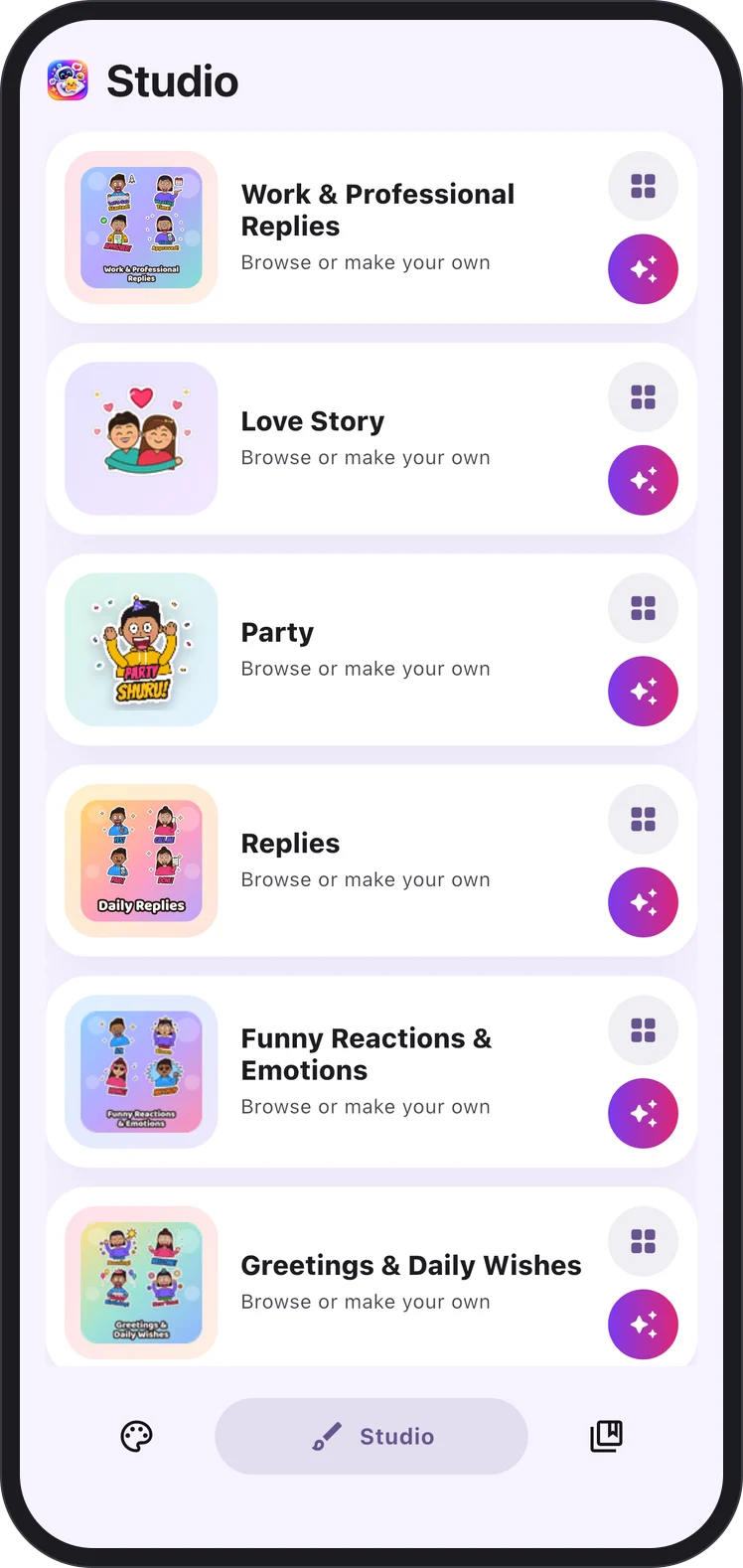
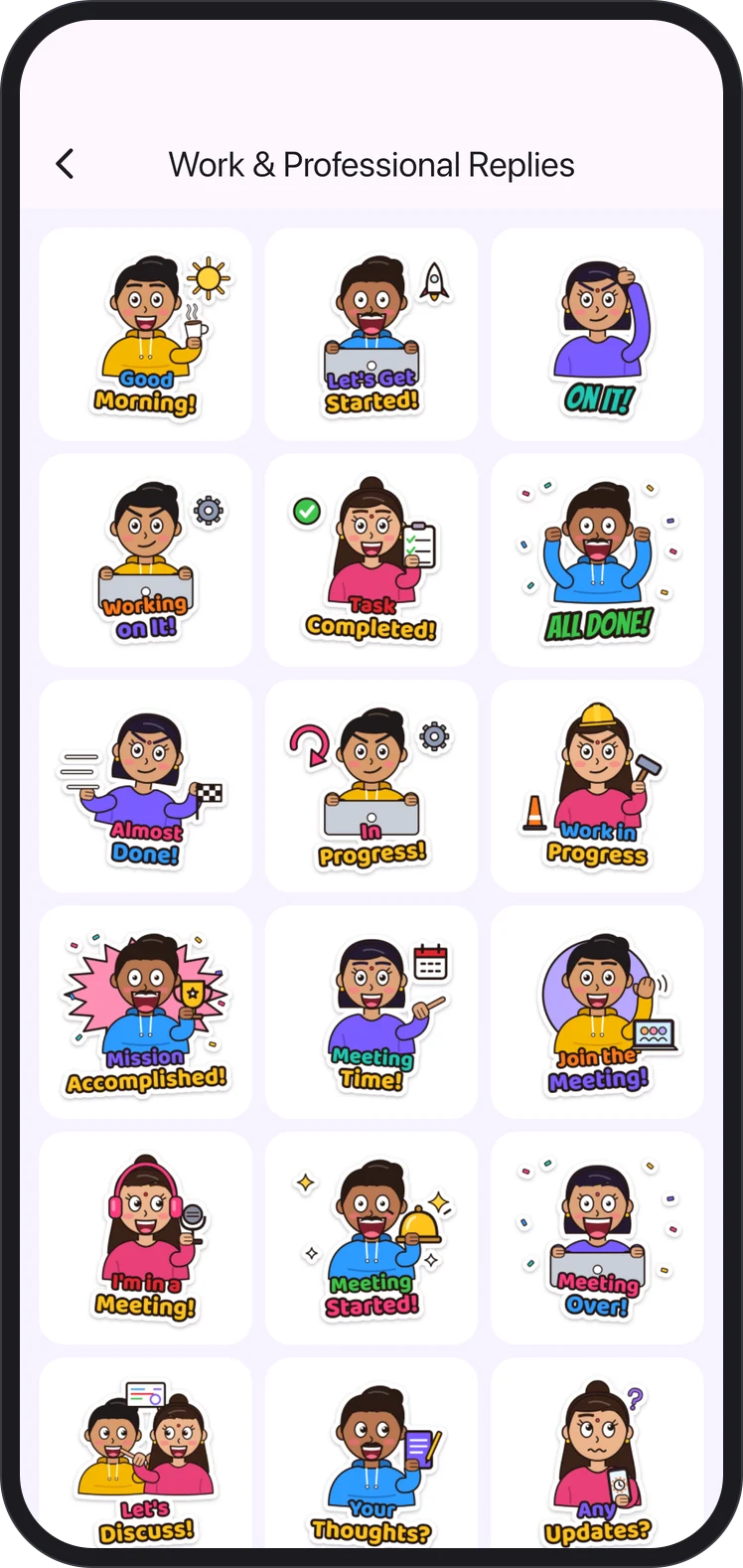
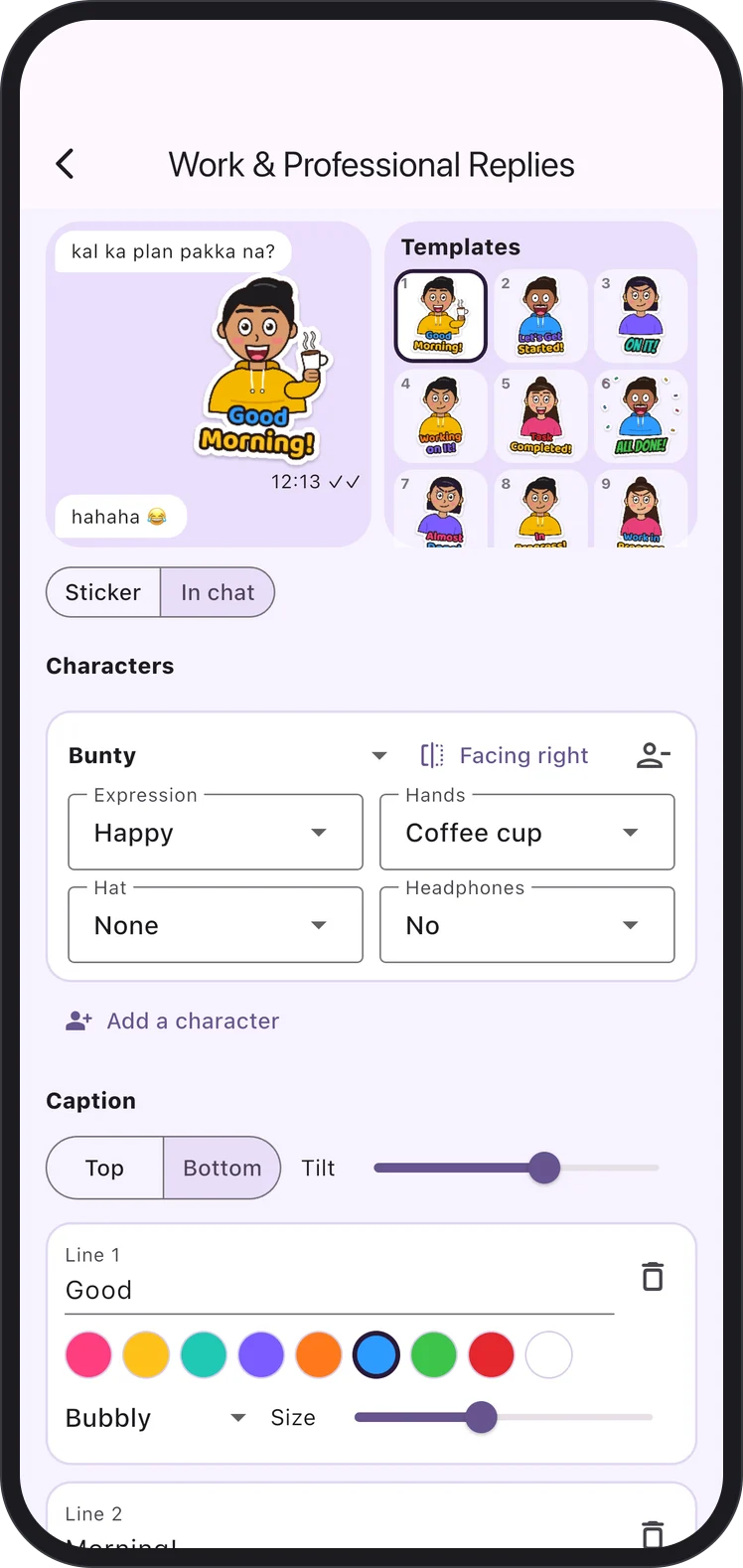
People want instant stickers, but also want to tweak them. We modelled every Studio sticker as a template of characters, words, colours and extras, so a collection such as Work & Professional Replies offers one-tap saving and full editing from the same data.
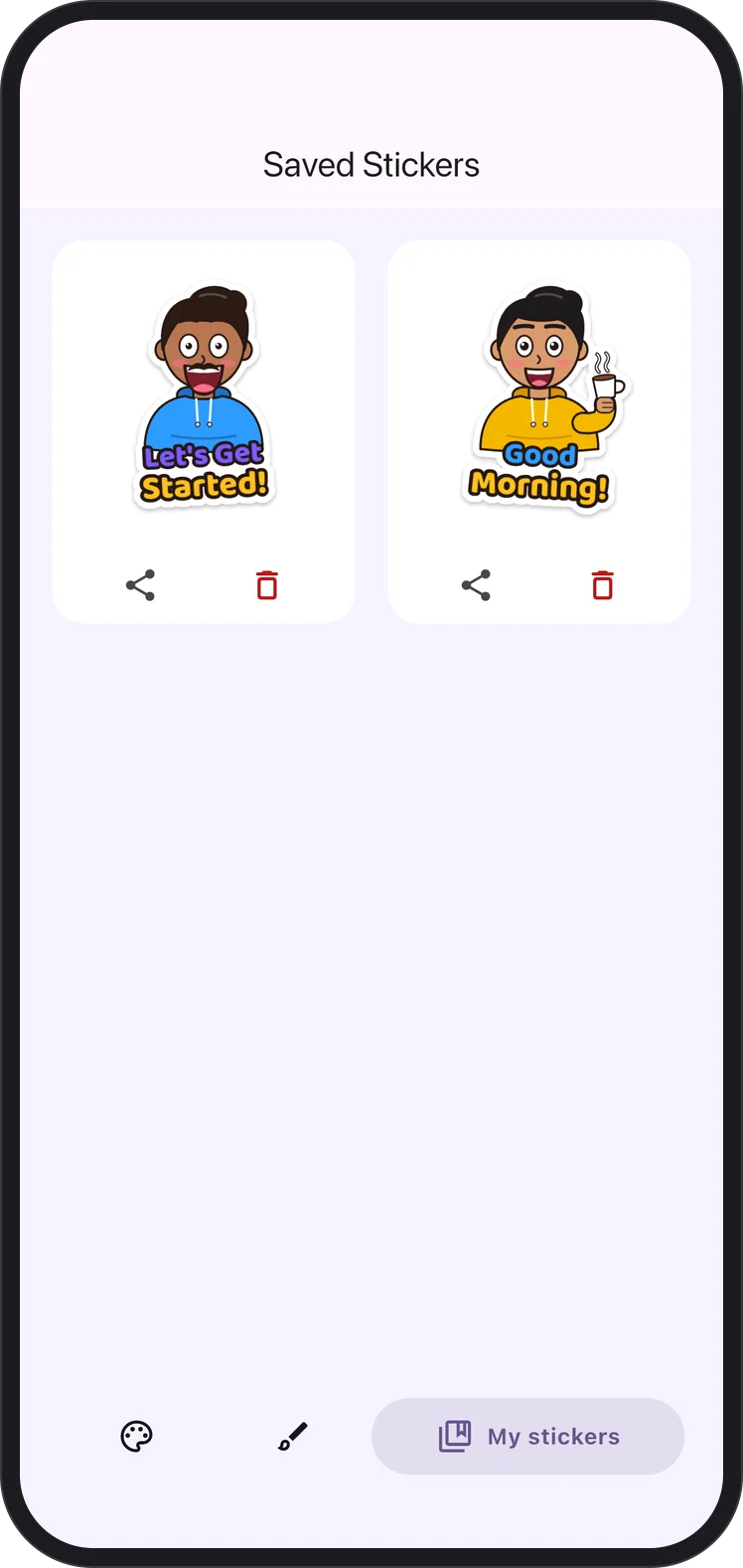
Stickers are only useful if they reach the chat. Saved stickers appear in the Stickora keyboard, and tapping one copies it so it can be pasted into a conversation. Because each messaging app handles pasted images differently, the app is clear that pasting depends on what each app supports.
Key features
Everything needed to design, save and send a personal sticker, without any design skills.
Four illustrated characters, more than 30 expressions, hand gestures such as a wave, hug, namaste, thumbs up and facepalm, and accessories like a party hat, crown or headphones.
One or more lines of text in bubbly, comic or handwritten lettering, with colour, size and tilt set for each line, placed above or below the characters.
A burst, circle or blob behind the characters, plus extras such as hearts, sparkles, confetti, flowers, balloons, nazar amulets and music notes.
Themed collections including Work & Professional Replies, Love Story, Party, Replies and Funny Reactions, each with ready-made stickers and editable templates.
A preview mode that shows the sticker inside a conversation before it is saved.
Saved stickers appear in My Stickers and in the Stickora keyboard, ready to copy and paste into chats.
The Android app can generate a sticker from a typed idea or from a photo.
Product screens
From the Studio collections to the editor and the in-chat preview, every screen keeps sticker making quick and visual.
Experience design
Design choices that keep a creative tool simple enough for a quick reply in the middle of a conversation.
Every collection opens with finished stickers, so people can send something in one tap and only customise when they want to.
The in-chat preview shows the sticker next to real messages, answering "will this look right?" before it is saved.
Named characters, gestures like namaste and extras like nazar amulets make the stickers feel familiar to the audience they were made for.
Expression, gesture and accessory are chosen from plain dropdowns rather than drawing tools, so no design skill is needed.
Architecture & integrations
One cross-platform codebase, with a keyboard and on-device storage built for each platform.
 FlutterCross-platform app
 DartLanguage
 iOS & AndroidPlatforms
 AI sticker generationAndroid
Delivery
From character design to store release on both platforms.
Defined the cast, expressions, gestures and extras, and the collections people would reach for most.
Built the layered editor for characters, captions, backgrounds and extras, with live preview.
Modelled collections as editable templates so ready-made and custom stickers share one system.
Connected saved stickers to the Stickora keyboard and kept the library on the device.
Released on Google Play and the App Store from one Flutter codebase.
Outcomes
What shipped, on both stores.
Available on the App Store and Google Play, built from a single Flutter codebase.
Stickers stay on the device, and the App Store listing declares that the app collects no data.
Ready-made collections and editable templates mean a personal sticker takes moments, not design skills.
The iOS app is a 24.5 MB download and runs on iOS 15 or later.
Keep exploring
Let’s talk
Tell us about the product you have in mind. We’ll share how we would approach it — scope, stack and next steps.
Start a Conversation