

Create a Premium Reader Experience
Design a cinematic reading interface that keeps users immersed during long storytelling sessions.
Case study · Books & Reference
StoryHub - Read, Write & Experience Stories Like Never Before


The brief
Our role: Mobile App Development, Backend APIs, UI/UX Design, Offline Reading System, Reader Experience Engineering.
StoryHub is a modern storytelling platform designed for readers and writers to discover, create, and experience immersive stories across multiple genres. The platform combines cinematic reading experiences with advanced reader-focused features such as Kindle Mode, Bionic Reading, Text-to-Speech narration, multilingual translation, offline reading, and intelligent reading personalization.
StoryHub was built to create a premium storytelling ecosystem where readers can deeply immerse themselves in stories while writers can easily publish and share their creativity. The application focuses heavily on reader experience by introducing advanced reading systems inspired by Kindle-like interfaces, distraction-free reading modes, narration-based auto-scrolling, and personalized typography controls.
Beyond basic story reading, the platform introduces intelligent reading enhancements such as Bionic Reading, multilingual translation, text-to-speech narration, offline story downloads, and dynamic reading themes optimized for different genres. The system architecture was designed for scalability, smooth performance, and future expansion into community-driven storytelling features.
Requirements
Focused on building a modern storytelling ecosystem that improves immersion, reader comfort, and long-term engagement.
Design a cinematic reading interface that keeps users immersed during long storytelling sessions.
Implement advanced features like Bionic Reading, narration, and personalized typography controls for comfortable reading.
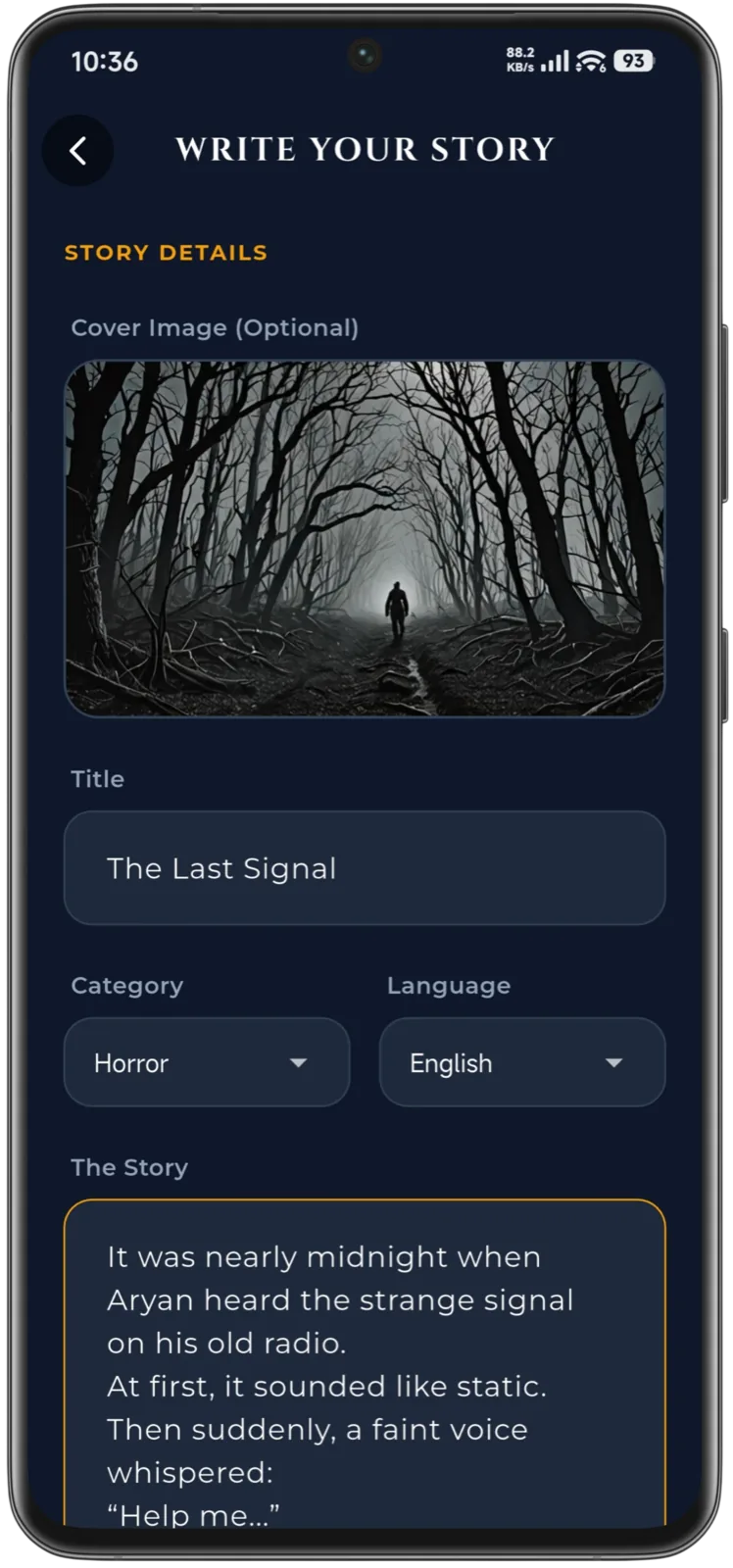
Enable writers to easily publish, manage, and categorize stories across multiple genres.
Allow users to save stories locally and continue reading without requiring internet connectivity.
Our approach
Technical and UX challenges solved through scalable architecture, immersive design systems, and smart reader personalization.
Creating a highly customizable reading interface without sacrificing performance required careful optimization of typography rendering, scrolling behaviour, and theme management. The solution combined efficient Flutter rendering with modular reader components to maintain smooth interactions even during long reading sessions.
Features like Bionic Reading, synchronized auto-scroll, and narration required dynamic text parsing and real-time reading coordination. We developed flexible reader engines capable of handling typography transformations and synchronized narration smoothly across devices.
Offline reading required efficient local storage management while preserving story formatting, reading progress, and personalization settings. Hive-based local persistence was implemented to provide fast offline access with minimal storage overhead.
Key features
Advanced reader-centric features designed to modernize digital storytelling and improve accessibility.
Distraction-free story reading interface designed with cinematic layouts, smooth scrolling, and optimized typography for long reading sessions.
Customizable reading mode allowing users to adjust text size, line spacing, letter spacing, and switch between dark, light, and sepia themes.
Advanced reading system that highlights fixation points in words to improve focus, reading speed, and accessibility.
Built-in text-to-speech narration with synchronized auto-scrolling for audiobook-like immersive reading sessions.
Readers can save stories locally for uninterrupted offline access while maintaining reading progress and personalization settings.
Product screens
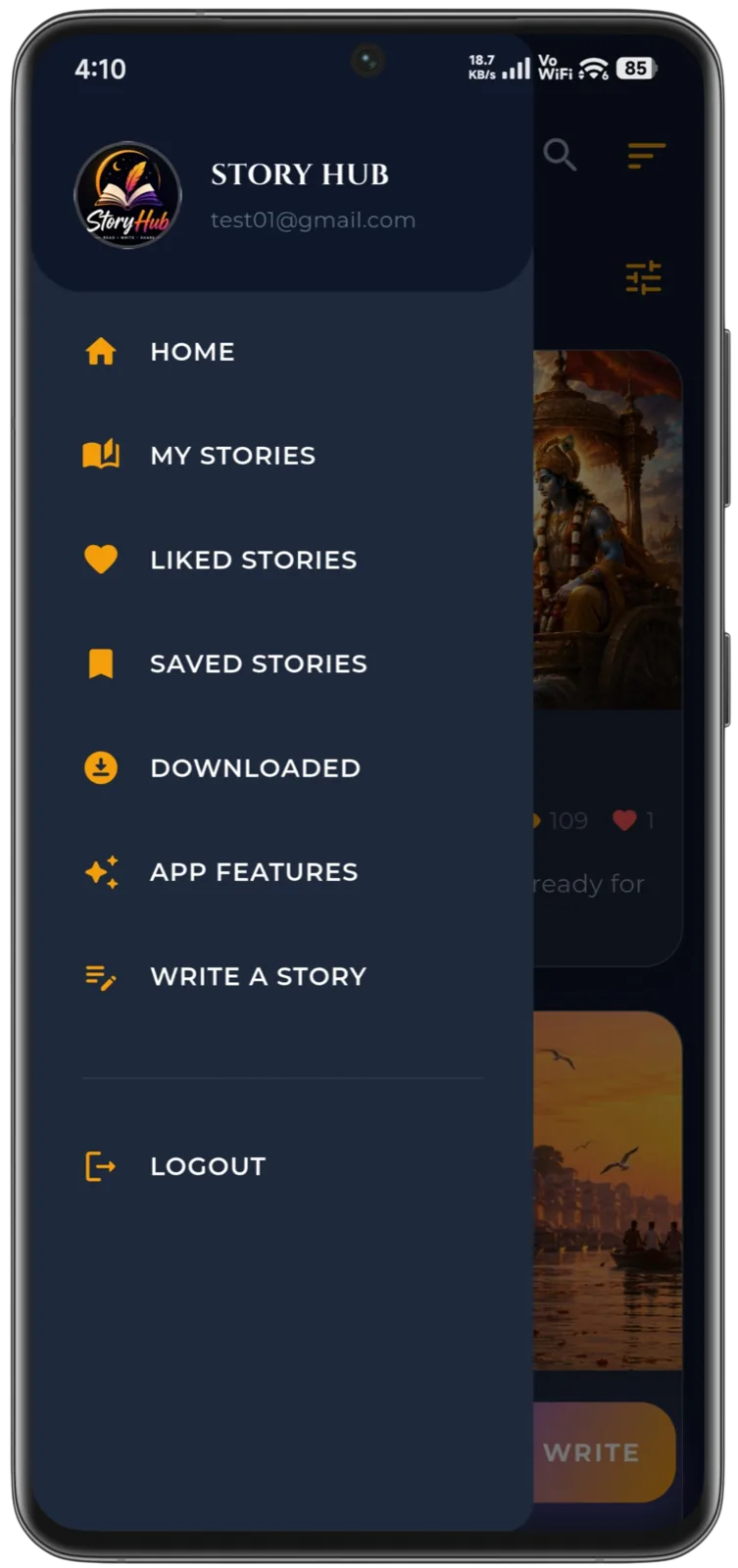
Beautiful cinematic screens crafted to deliver a distraction-free and immersive reading experience.


Experience design
Every interaction was optimized to reduce reading friction and maximize immersion across all story genres.
Reading interfaces were optimized to minimize visual clutter and maximize immersion during story sessions.
Users can customize text size, spacing, and reading themes to create their ideal reading environment.
Story categories use cinematic visuals and mood-based themes to strengthen emotional storytelling impact.
Every interaction was designed specifically for comfortable one-handed mobile reading.
Architecture & integrations
A scalable and performance-focused technology stack engineered for modern storytelling experiences.
 FlutterFrontend
 Node.js REST APIBackend
 MongoDBDatabase
 HiveLocal Storage
Delivery
A structured development lifecycle focused on immersive reading, smooth performance, and scalable backend systems.
Defined storytelling workflows, reader expectations, and immersive reading goals before UI development.
Designed cinematic layouts, typography systems, and distraction-free reading interactions.
Built scalable Flutter architecture with modular reader systems and API-driven content management.
Optimized scrolling, rendering, narration synchronization, and offline persistence systems.
Released Android build with future roadmap planning for community and AI-powered features.
Outcomes
Delivering a premium reading experience that increases engagement, personalization, and reader retention.
Reader-focused UI and cinematic layouts significantly improved long-session reading comfort and engagement.
Bionic Reading, narration support, and customizable typography improved accessibility for diverse reading preferences.
Local story persistence enabled uninterrupted reading experiences without requiring constant internet connectivity.
Architecture designed to support future expansion into social storytelling, AI recommendations, and community features.
Roadmap
Planned improvements focused on AI storytelling, community engagement, and cinematic reading innovation.
Personalized story suggestions based on reading behaviour, genres, and engagement patterns.
Reader profiles, following systems, comments, and collaborative storytelling communities.
Emotion-aware AI narration voices optimized for different story genres and moods.
Tablet, web, and desktop reading experiences synchronized across all platforms.
Keep exploring
Let’s talk
Tell us about the product you have in mind. We’ll share how we would approach it — scope, stack and next steps.
Start a Conversation